
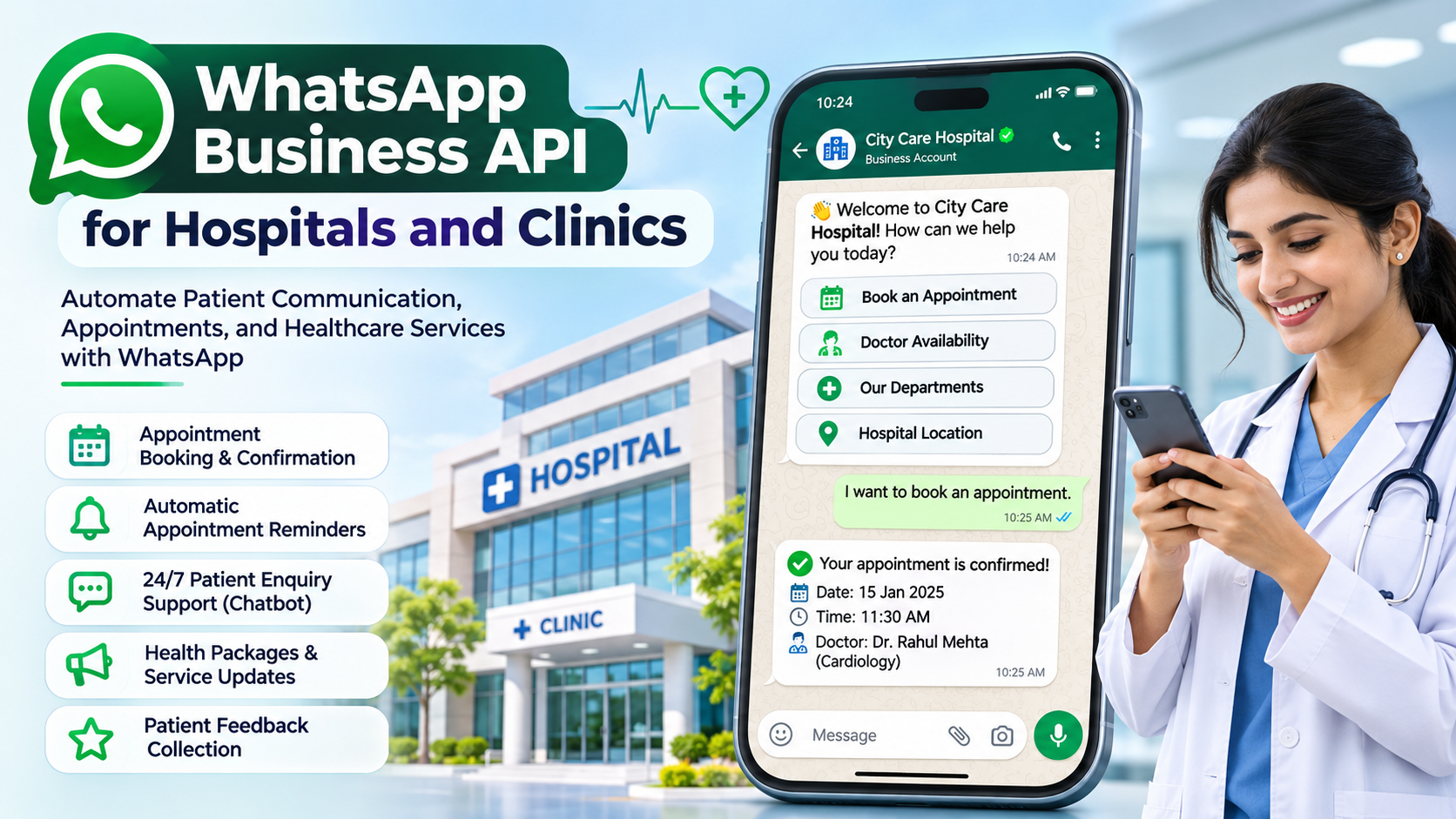
WhatsApp Business API for Hospitals and Clinics: A Complete Guide to Better Patient Communication and Appointment Management
Introduction
Communication plays an important role in delivering quality healthcare services. Patients expect quick responses when they want to book appointments, enquire about treatments, check doctor availability, or receive updates about their medical visits. However, many hospitals and clinics still depend on traditional phone calls and manual messaging to manage these interactions.
Handling hundreds of patient enquiries every day can become challenging for receptionists and administrative teams. Missed calls, delayed responses, forgotten appointments, and repeated questions can affect the overall patient experience.
This is where the WhatsApp Business API for Hospitals and Clinics can make a significant difference.
With WhatsApp Business API, healthcare providers can communicate with patients through automated messages, appointment confirmations, reminders, notifications, and customer support. Hospitals and clinics can streamline their communication processes while making it easier for patients to connect with their healthcare providers.
In this article, we will explore how WhatsApp Business API works, its benefits, important features, and how hospitals and clinics can use WhatsApp automation to improve patient communication and operational efficiency.
What Is WhatsApp Business API for Hospitals and Clinics?
WhatsApp Business API is a business communication solution that allows hospitals, clinics, diagnostic centres, and healthcare organizations to communicate with patients at scale.
Unlike the regular WhatsApp application, the WhatsApp Business API supports advanced automation, multiple team members, CRM integration, bulk notifications using approved templates, and chatbot functionality.
Healthcare organizations can use this platform to manage different types of patient interactions, including:
- New patient enquiries
- Doctor appointment bookings
- Appointment confirmations
- Appointment reminders
- Consultation follow-ups
- Diagnostic test notifications
- Health check-up reminders
- Hospital announcements
- Patient feedback collection
- Customer support
For example, when a patient contacts a clinic through WhatsApp to enquire about a doctor’s availability, an automated chatbot can collect the patient’s details, understand their requirements, and guide them through the appointment booking process.
This reduces manual work and helps healthcare teams respond to patients more efficiently.
Why Do Hospitals and Clinics Need WhatsApp Business API?
Patients prefer convenient communication channels that allow them to get information without waiting on phone calls.
Many people already use WhatsApp daily, making it a familiar communication platform for healthcare-related interactions.
Here are some common challenges hospitals and clinics face:
1. Missed Patient Enquiries
Receptionists may be busy attending patients, answering phone calls, and managing appointments. As a result, some enquiries may remain unanswered.
WhatsApp automation helps businesses provide instant initial responses and collect enquiry details even outside regular working hours.
2. Appointment Management Difficulties
Managing appointments manually can lead to scheduling conflicts, forgotten bookings, and unnecessary administrative work.
WhatsApp notifications can automatically confirm appointments and remind patients about upcoming consultations.
3. Repeated Patient Questions
Patients frequently ask similar questions about consultation fees, doctor timings, hospital locations, available services, and working hours.
A WhatsApp chatbot can answer frequently asked questions automatically, reducing the workload on reception staff.
4. Difficulty Managing Multiple Staff Members
When several employees handle patient conversations using different mobile numbers, communication becomes difficult to track.
WhatsApp Business API platforms with a shared team inbox allow multiple authorized staff members to manage conversations through one business number.
5. Lack of Follow-Up Communication
Some patients enquire about treatments or consultations but do not immediately schedule an appointment.
With appropriate patient consent and approved message templates, hospitals and clinics can send follow-up messages and appointment-related notifications.
Top 10 Benefits of WhatsApp Business API for Hospitals and Clinics

1. Automated Appointment Booking
Patients can enquire about doctor availability and request appointments through WhatsApp.
An automated workflow can collect:
- Patient name
- Mobile number
- Preferred doctor
- Department or specialty
- Preferred appointment date
- Preferred time slot
The system can then route the request to the reception team or connect with an appointment management system.
Once the appointment is confirmed, patients can receive an automated confirmation message.
2. Automatic Appointment Reminders
Missed appointments can affect hospital scheduling and doctor availability.
Hospitals and clinics can send automatic reminders before scheduled consultations.
Example:
“Hello , this is a reminder about your appointment with Dr. on at . Please contact our reception if you need to reschedule.”
These reminders help patients remember their appointments and make scheduling more organized.
3. 24/7 Patient Enquiry Support
Patients may contact hospitals outside regular working hours.
A WhatsApp chatbot can provide instant responses to common questions, such as:
- What are your hospital timings?
- Which doctors are available?
- Where is your hospital located?
- What departments do you have?
- How can I book an appointment?
- Do you provide diagnostic services?
For complex enquiries, the chatbot can transfer the conversation to an appropriate staff member during working hours.
4. Multiple Staff Members Using One WhatsApp Number
A hospital may have separate teams for appointments, billing, customer support, diagnostics, and administration.
With a WhatsApp Business API team inbox, multiple authorized employees can manage conversations using one official business number.
Benefits include:
- Centralized patient communication
- Department-wise chat assignment
- Staff-wise conversation management
- Internal notes and tags
- Better enquiry tracking
- Improved response management
5. Diagnostic Test Notifications
Diagnostic centres and hospitals can use WhatsApp to communicate important updates about laboratory tests.
Examples include:
- Test booking confirmation
- Sample collection instructions
- Sample received notification
- Report availability notification
- Instructions to contact the diagnostic centre
For sensitive medical information, organizations should use appropriate secure channels and ensure that the communication complies with applicable privacy requirements.
6. Automated Patient Follow-Ups
Follow-up communication is important for maintaining continuity of care.
Hospitals can send appropriate reminders for scheduled follow-up consultations, routine check-ups, and other patient-approved healthcare communication.
For example:
“Hello , your follow-up consultation is due. Please contact our appointment desk to schedule your next visit.”
Messages should be relevant to the patient’s care and sent only when permitted.
7. Healthcare Service Promotion
Hospitals and clinics can communicate information about their services using approved WhatsApp marketing templates.
Examples include:
- Annual health check-up packages
- Preventive health screening
- New doctor availability
- New department announcements
- Health awareness programmes
- Vaccination campaigns
Promotional communication must follow WhatsApp’s messaging policies and applicable consent requirements.
8. Patient Feedback Collection
Patient feedback helps hospitals understand service quality and identify areas for improvement.
After a consultation, hospitals can send a feedback request.
Example:
“Thank you for visiting our hospital. We would appreciate your feedback about your experience. Please rate our service from 1 to 5.”
Feedback can help hospitals improve reception services, appointment management, and overall patient experience.
9. Reduce Reception Workload
Reception teams spend considerable time answering repeated questions and managing appointment-related calls.
WhatsApp automation can handle routine communication, allowing staff to focus on in-person patient assistance and more complex enquiries.
10. Better Patient Communication Records
A centralized WhatsApp platform can help authorized employees manage patient conversations and track communication history.
With suitable CRM or hospital management software integration, organizations can connect communication workflows with their existing operational systems while applying appropriate access controls.
Best WhatsApp Business API Features for Healthcare Organizations

Hospitals and clinics should choose a WhatsApp Business API platform that provides the following features.
| Feature | How It Helps Hospitals |
|---|---|
| WhatsApp Chatbot | Automates common patient enquiries |
| Appointment Automation | Collects appointment requests |
| Template Messages | Sends approved notifications |
| Team Inbox | Allows multiple staff members to manage chats |
| Contact Management | Organizes patient communication contacts |
| Chat Assignment | Routes enquiries to departments |
| CRM Integration | Connects conversations with business workflows |
| WhatsApp Flows | Creates structured interactive forms |
| Bulk Campaigns | Shares approved healthcare announcements |
| Analytics & Reports | Monitors communication performance |
| API Integration | Connects with hospital software |
| Automated Follow-Ups | Supports appointment and service reminders |
How Hospitals Can Automate Patient Appointments Using WhatsApp
One of the most useful applications of WhatsApp Business API is appointment booking automation.
Let’s understand how a typical appointment workflow works.

Step 1: Patient Sends a Message
A patient sends a WhatsApp message to the hospital’s official WhatsApp number.
Example: “Hi, I want to book an appointment.”
Step 2: Automated Welcome Message
The chatbot immediately responds:
“Welcome to ABC Hospital! How can we help you today?”
Options:
- Book an Appointment
- Doctor Availability
- Department Enquiry
- Hospital Location
- Talk to Reception
Step 3: Collect Patient Information
When the patient selects Book an Appointment, the chatbot collects the required information.
- Patient name
- Department
- Preferred doctor
- Appointment date
- Preferred time
Step 4: Check Doctor Availability
The appointment request can be connected to the hospital’s appointment management software to check available time slots.
Step 5: Confirm Appointment
After the hospital confirms the booking, the patient receives an appointment confirmation message.
Step 6: Send Appointment Reminder
The system automatically sends a reminder before the scheduled consultation.
Step 7: Follow-Up Communication
After the appointment, the hospital can send an appropriate feedback request or follow-up reminder, subject to patient consent and applicable policies.
This workflow helps reduce manual communication and creates a smoother appointment experience.
WhatsApp Business API Use Cases for Different Healthcare Businesses
WhatsApp automation can support different healthcare organizations based on their services and operational requirements.
1. Multi-Specialty Hospitals
Multi-specialty hospitals handle enquiries across several departments.
WhatsApp Business API can help manage:
- Department-wise patient enquiries
- Doctor appointment requests
- OPD schedule notifications
- Health package announcements
- Appointment reminders
- General hospital information
2. Clinics and Private Practices
Private clinics can use WhatsApp automation to simplify appointment management and patient communication.
Common applications include:
- New patient enquiries
- Consultation booking
- Doctor availability
- Appointment confirmation
- Follow-up reminders
- Clinic location sharing
3. Dental Clinics
Dental clinics can use WhatsApp to manage consultation enquiries and treatment-related appointments.
Examples include:
- Dental consultation booking
- Cleaning appointment reminders
- Orthodontic consultation enquiries
- Treatment schedule notifications
- Patient feedback collection
4. Diagnostic Centres and Laboratories
Diagnostic centres can automate several communication activities.
- Test booking requests
- Home sample collection enquiries
- Sample collection scheduling
- Report-ready notifications
- Health package information
- Customer support
5. Eye Hospitals and Eye Clinics
Eye hospitals can use WhatsApp to communicate information about eye examinations, consultation availability, surgery appointments, and scheduled follow-ups.
6. Physiotherapy and Rehabilitation Centres
Physiotherapy centres can automate session scheduling, appointment reminders, treatment session updates, and patient feedback requests.
WhatsApp Chatbot Examples for Hospitals and Clinics
Here are some practical chatbot conversation examples that healthcare organizations can implement.
Example 1: Appointment Booking
ABC Hospital – WhatsApp Assistant
Welcome to ABC Hospital! How can we help you today?
I want to book an appointment.
Please select the department you would like to consult.
- General Medicine
- Cardiology
- Orthopaedics
- Dermatology
Cardiology
Please share your preferred appointment date and time. Our team will check availability and confirm your booking.
Illustrative chatbot conversation.
Example 2: Hospital Location Enquiry
Patient: “Where is your hospital located?”
Automated Response:
“Thank you for contacting ABC Hospital. Our hospital is located at [Hospital Address]. You can use the location link below to find directions.”
Example 3: Doctor Availability
Patient: “Is a dermatologist available tomorrow?”
Automated Response:
“Thank you for your enquiry. Please share your preferred consultation time. Our appointment team will check the doctor’s schedule and get back to you.”
Example 4: Appointment Reminder
“Hello , this is a reminder about your upcoming appointment at ABC Clinic on at . Please contact our reception if you need assistance.”
WhatsApp Business API Integration with Hospital Management Software
Hospitals that already use Hospital Management Systems (HMS), Electronic Medical Records (EMR), or appointment management software can integrate WhatsApp Business API into their existing workflows.
An integration can connect the following systems:
- Hospital Management System
- Patient Registration System
- Doctor Appointment Software
- Billing and Payment Software
- Diagnostic Laboratory Software
- CRM and Patient Enquiry Management
For example, when a receptionist creates an appointment in hospital software, the system can trigger an API request to send a WhatsApp confirmation to the patient.
Similarly, when an appointment status changes, an automated notification can be sent.
Important: Healthcare integrations should use secure authentication, appropriate access permissions, data minimization, audit logs, and applicable privacy safeguards. Avoid sending sensitive medical records or detailed diagnostic information through ordinary chat messages unless the workflow has been specifically assessed and approved for that purpose.
WhatsApp Business API Pricing for Hospitals and Clinics
WhatsApp Business API pricing depends on the applicable Meta pricing structure, message category, recipient market, and the service provider or platform charges.
The main message categories include:
- Marketing Messages: Used for promotional campaigns, service announcements, and health package information.
- Utility Messages: Used for appointment confirmations, reminders, and other transactional updates.
- Authentication Messages: Used for OTPs and account verification.
Hospitals should also consider the platform subscription, integration costs, automation setup, and any additional service charges.
Before selecting a WhatsApp Business API provider, healthcare organizations should understand the complete pricing structure and applicable messaging policies.
Important Privacy and Compliance Considerations
Healthcare organizations handle sensitive patient information. Therefore, WhatsApp automation must be implemented responsibly.
Consider the following practices:
- Obtain appropriate patient consent before sending messages.
- Follow WhatsApp Business Messaging Policy.
- Use approved message templates for business-initiated conversations.
- Avoid sharing unnecessary medical or personal information.
- Restrict access to patient conversations.
- Use secure integrations with hospital software.
- Maintain appropriate communication and access records.
- Provide a clear option for patients to stop promotional messages.
- Follow applicable Indian data protection and healthcare regulations.
Hospitals should also establish internal policies for handling patient information through messaging platforms.
WhatsApp should complement the hospital’s secure healthcare systems, not replace clinical records or emergency communication channels.
How to Choose the Right WhatsApp Business API Platform for Your Hospital
Selecting the right platform is important for long-term success.
Before choosing a provider, check whether it offers:
- Official WhatsApp Business Platform connectivity.
- Multiple staff members with a shared team inbox.
- Automated chatbot and workflow builder.
- Appointment booking automation.
- WhatsApp Flows support.
- Contact management and CRM functionality.
- Approved template management.
- API and webhook integration.
- Campaign management with consent controls.
- Reporting and analytics.
- Role-based access and security controls.
- Reliable technical support.
A platform with these capabilities can help hospitals build an organized patient communication system.
Why Choose Kwikwa for WhatsApp Business API Automation?

Hospitals and clinics need more than a basic messaging application. They need a centralized communication platform that helps their teams manage patient enquiries, automate routine communication, and improve operational efficiency.
Kwikwa is a WhatsApp Business API platform designed to help businesses manage customer conversations, automate communication, and organize enquiries through a centralized dashboard.
With Kwikwa, hospitals, clinics, and diagnostic centres can use features such as:
- Official WhatsApp Business API: Communicate using an official business messaging setup.
- Automated Chatbots: Respond to common patient enquiries automatically.
- Shared Team Inbox: Allow multiple authorized staff members to manage conversations.
- Lead Management: Organize and track new patient enquiries.
- WhatsApp Flows: Create structured interactions for collecting appointment request details.
- Template Management: Manage approved WhatsApp message templates.
- Bulk Campaigns: Send permitted healthcare announcements to opted-in contacts.
- Contact Management: Organize business contacts and conversations.
- API Integration: Connect WhatsApp communication with existing business software.
- Reports and Insights: Monitor communication and enquiry management activities.
Whether you operate a multi-specialty hospital, private clinic, dental centre, or diagnostic laboratory, Kwikwa can help streamline your WhatsApp communication workflows.
Want to automate patient enquiries and appointment requests?
Visit Kwikwa – WhatsApp Business API Platform to explore the platform and request a free demo.
Frequently Asked Questions (FAQs)
WhatsApp Business API allows hospitals to communicate with patients using automated messages, appointment notifications, chatbots, shared team inboxes, and integrations with hospital management systems.
Yes. Hospitals can create automated appointment workflows that collect patient details, preferred departments, doctors, dates, and time slots. The request can then be connected to appointment management software or routed to reception staff for confirmation.
Yes. WhatsApp Business API platforms with shared inbox functionality allow multiple authorized employees to manage conversations using one official business number.
Yes. Hospitals and clinics can send automated appointment reminders using approved utility message templates, subject to applicable messaging rules.
Yes. Diagnostic centres can send notifications when reports become available. For sensitive reports, they should use secure delivery methods and appropriate patient authentication.
Yes. Small clinics can use WhatsApp automation to handle appointment enquiries, answer common questions, send reminders, and manage patient conversations more efficiently.
Yes. Through APIs and webhooks, WhatsApp Business API can be integrated with compatible hospital management systems, appointment applications, CRM platforms, and diagnostic software.
The WhatsApp Business API itself does not mean that all messaging and platform services are free. Costs may include Meta messaging charges, provider subscriptions, integration, and automation services.
Yes, where permitted by WhatsApp policies and applicable laws. Hospitals can send relevant promotional messages using approved marketing templates to patients who have provided the required consent.
A hospital can get started by selecting an appropriate WhatsApp Business API platform, completing the required business verification and account setup, configuring message templates, creating chatbot workflows, and connecting the system with existing hospital software where required.
Conclusion
Effective patient communication is essential for hospitals and clinics. As patient expectations continue to grow, healthcare organizations need convenient and efficient ways to manage enquiries, appointments, notifications, and follow-ups.
WhatsApp Business API for Hospitals and Clinics provides an opportunity to automate routine communication, reduce reception workload, manage patient enquiries centrally, and create a more convenient patient experience.
From appointment booking and automated reminders to diagnostic notifications and patient feedback, WhatsApp automation can support several important healthcare communication activities.
By choosing the right WhatsApp Business API platform, hospitals and clinics can build a more organized communication process and focus more time on delivering quality healthcare services.
If you want to simplify patient communication and automate your hospital or clinic enquiries, explore Kwikwa WhatsApp Business API.
Start automating your healthcare communication with Kwikwa.
Website: https://kwikwa.com/

Logicview it solutions (OPC) Pvt Ltd
We are a leading software and website development company based in Warangal, Telangana, India. We specialize in providing innovative and customized solutions to meet the unique needs of businesses across various industries. Our services include high-quality web design, robust software development, and comprehensive digital solutions, all aimed at enhancing your online presence and driving business growth. With a focus on delivering excellence, we are committed to helping our clients achieve their goals through technology.